

Build an Automated Lead Engine
A one-off export goes stale. An automated lead engine keeps a search running: every day, week or month Evaboot exports the leads that are new since the last run, finds their emails, and pushes them into your CRM or outreach tool. You set it up once and new leads keep arriving.
How it works
- Build an intent-based search. Target people showing a buying signal, not only a job title.
- Schedule it. A recurring export repeats the search
daily,weeklyormonthlyand only exports leads that were not in a previous run. - Connect a destination. Each run is pushed automatically to HubSpot, Pipedrive, Attio, Apollo, lemlist, Instantly, Google Sheets, Clay, Make, Zapier, n8n or your own webhook.
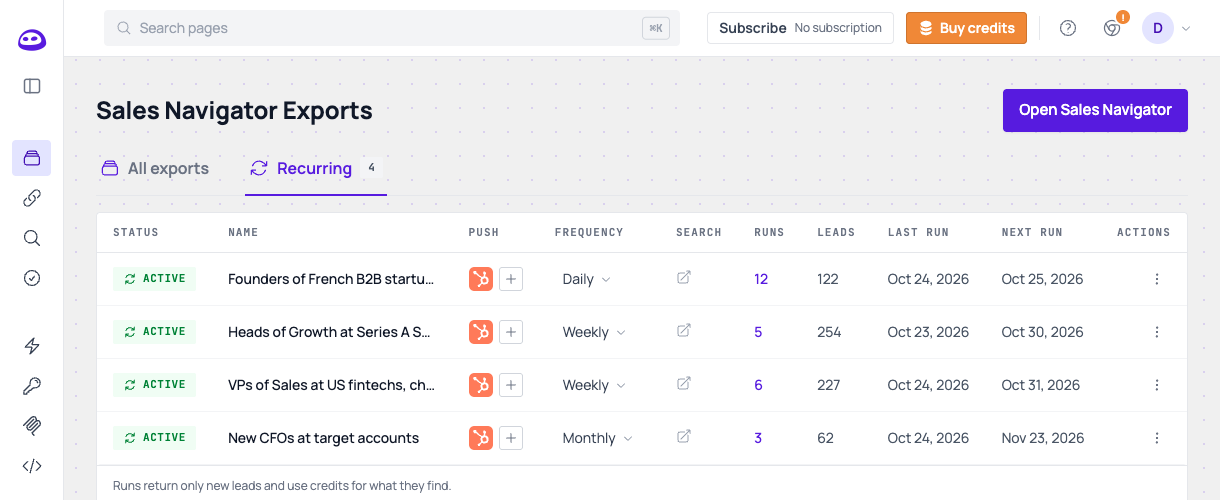
Run several searches side by side, one per segment or signal, all feeding the same CRM. The Recurring tab of the Evaboot app shows every schedule, where its runs are pushed, and how many leads each one has found:
Intent signals worth targeting
- Changed jobs in the past 90 days. New decision makers review their tools and budgets in their first months.
- Posted on LinkedIn in the past 30 days. Active people answer outreach.
- Your account list. A people search filtered on a Sales Navigator account list (your target companies) catches new hires and promotions there.
- Growth filters. Company headcount, revenue, years in the current position.
Through MCP, describe the signal in plain language and
build_sn_search_from_prompt sets the filter. With the API, set it in Sales
Navigator and copy the search URL: POST /v1/search-builder/ covers the
firmographic filters (headcount, revenue, tenure) but not the signals.
With an AI assistant (MCP)
"Every week, export new VPs of Sales at US fintechs with 50 to 500 employees who changed jobs in the past 90 days, and push them to HubSpot."
| Step | Tool |
|---|---|
| Build the search | build_sn_search_from_prompt |
| Schedule it | create_recurring_export with frequency: "weekly" |
| Send runs to an existing destination | attach_recurring_export |
| Or connect a new one | connect_integration with auto: true, source: "recurring" |
| Pause, resume or change the cadence | update_recurring_export |
With the API
Schedule a search URL, or an extraction you already ran:
Code
The response has the schedule id and its next_execution_at. The first run
happens one interval later. The search is saved once on your Sales Navigator
seat, and scheduling the same search again only updates its cadence.
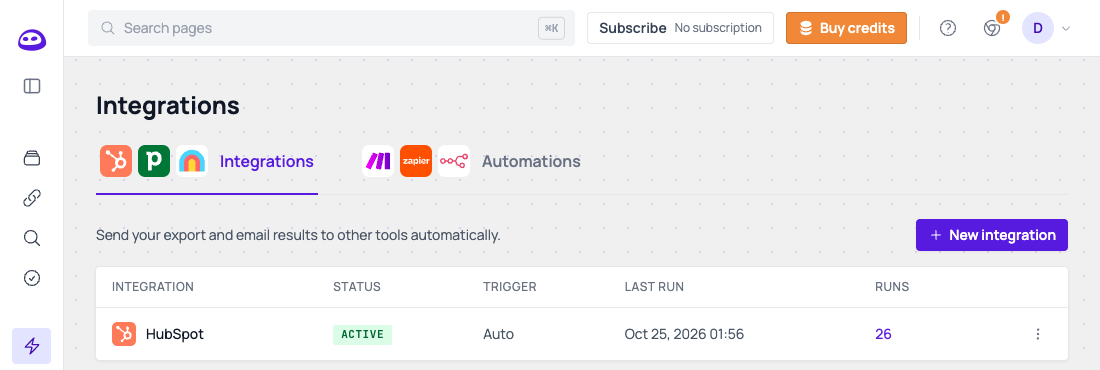
Then pick where the leads go on the Integrations page: connect your CRM and choose to receive runs of recurring exports.
 Manage schedules with
GET, PATCH and DELETE /v1/extractions/recurring/{schedule_id}/.
Good to know
- Each run costs 1 credit per new lead and counts against the daily quota of your Sales Navigator seat. A run with no credits or no connected account is skipped, and the next date still moves forward.
- Only new leads are exported, so the CRM does not fill with duplicates.
- Lists and single profiles cannot recur. Schedule people or company searches.